30 Owl SVG, DXF, EPS, JPG: What You Actually Need to Know Before Downloading
If you're searching for owl-themed design files—whether to cut vinyl, engrave wood, print on apparel, or build a classroom activity—you’ve likely landed on listings promising “30 Owl SVG, DXF, EPS, JPG.” That sounds comprehensive. But not all bundles deliver equal value—and many buyers discover too late that file compatibility, quality consistency, or licensing scope doesn’t match their real-world use.
What This Bundle Really Is (and Isn’t)
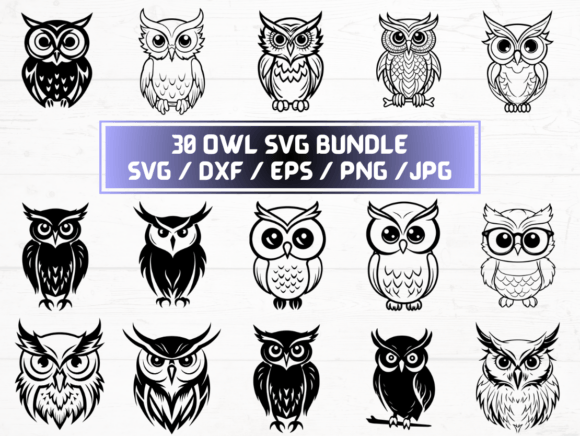
This listing delivers 5 sets of 30 files each: SVG, DXF, EPS, JPG, and PNG—all in one ZIP folder, available as an instant digital download. No physical item ships. Each format serves distinct tools and workflows: SVG for Cricut and Silhouette software, DXF for laser cutters and CAD programs, EPS for vector editing in Adobe Illustrator, JPG for basic web use, and high-resolution PNG (300 dpi, transparent background) for overlays and print-ready graphics.
Crucially, these are pre-made, ready-to-use designs—not editable templates with layered components or customizable fonts. They’re ideal when you need variety fast: 30 distinct owl silhouettes, poses, or stylizations (e.g., minimalist, woodland, cartoon, geometric), not 30 versions of the same outline with minor tweaks.
A Common Misstep: Assuming All Formats Are Created Equal
Many assume that because a bundle includes SVG, DXF, EPS, JPG, and PNG, every file is optimized for its intended use. In practice, some sellers generate raster files (JPG/PNG) from low-res sources—or convert vectors automatically, introducing stray anchor points, inconsistent stroke weights, or embedded raster effects. The result? An SVG that cuts cleanly in Cricut Design Space but a DXF that fails import in LightBurn due to ungrouped layers or non-closed paths.
Example: A teacher planning a nature-themed bulletin board downloads the PNGs for printing—only to find subtle jagged edges at 12” width because the original was traced from a 72 dpi screenshot, not drawn natively at scale. The same design may look crisp on screen but blur when enlarged for posters or signage.
Overlooking Format-Specific Requirements
Your workflow determines which files matter most—and which you can safely ignore. If you’re using a Glowforge, focus first on clean DXF or SVG with no compound paths or text outlines. If you’re designing t-shirt mockups in Canva, the high-res PNGs with transparency will save hours over removing backgrounds manually. But if you’re preparing files for professional embroidery digitizing, none of these formats are suitable—EPS or SVG won’t translate to .dst or .pes without expert reinterpretation.
Similarly, EPS files labeled “CMYK” may not render correctly in RGB-based apps like Cricut or Silhouette Studio. And JPGs—while universally viewable—lack transparency, making them poor choices for layering over photos or colored backgrounds unless you manually mask them first.
The Hidden Cost of Skipping File Inspection
Before importing into your machine or project, open one SVG and one DXF in their native environments—not just preview thumbnails. Check for:
- Path integrity: Are all shapes closed? Do overlapping lines create unintended cut-throughs?
- Grouping and layers: Are eyes, beaks, and feathers grouped logically—or flattened into one shape that can’t be recolored individually?
- Scale consistency: Do all 30 owls export at the same base size (e.g., 4” wide), or do some stretch unexpectedly when resized?
- Transparency handling: Does the PNG truly have alpha transparency (check against a dark background), or is it a white-filled JPG masquerading as “transparent-ready”?
Skipping this step often leads to wasted material, misaligned cuts, or last-minute redesigns—especially during time-sensitive projects like event decor or client deadlines.
Licensing and Usage Realities
This is a single-user, commercial-use license unless otherwise stated. You can use these owls in products you sell—tote bags, stickers, lesson plans—but you cannot resell the files themselves, claim authorship, or include them in subscription-based design asset libraries. Some creators mistakenly assume “commercial use” means they can bundle these with their own course materials as downloadable resources—yet that violates standard extended license terms unless explicit permission is granted.
Also note: These are flat vector/raster illustrations, not font-based glyphs or scalable icon systems. You won’t find variable weights, stylistic alternates, or responsive sizing logic built in. If your project demands adaptive line thickness across sizes (e.g., for responsive web icons), this bundle won’t fill that need.
Better Alternatives When This Bundle Falls Short
If your goal is customization—not just selection—consider whether you’d benefit more from:
- A layered SVG set where wings, eyes, and accessories are separate groups you can recolor, hide, or animate independently;
- A vector pack with both black-and-white and color variants, plus matching pattern swatches or textures;
- Files accompanied by a quick-start PDF guide showing recommended software settings, scaling presets, and common troubleshooting tips for each format.
None of those features are implied by “30 Owl SVG, DXF, EPS, JPG”—they must be explicitly included and verified before purchase.
Final Checklist Before You Click “Download”
Take 60 seconds to confirm:
- You’re buying from a seller with recent, verifiable reviews mentioning file usability—not just aesthetics;
- The preview images show actual file exports (not mockups), including close-ups of path detail and transparency handling;
- The ZIP contains exactly 150 files (30 × 5)—no missing formats or duplicate names;
- Your software supports the version of SVG/DXF/EPS included (e.g., some older Silhouette versions don’t read SVG 2.0 features);
- You’ve saved a backup copy immediately after download—digital files can’t be reissued if lost or corrupted.
When used intentionally, this kind of bundle saves serious time. When treated as a universal fix-all, it creates friction instead of flow. Knowing what’s inside—and how each file behaves in context—makes all the difference between a smooth project launch and an avoidable detour.