Beer SVG: What You Actually Need to Know Before Downloading
If you're designing custom merch, crafting signs for a brewery taproom, or building a themed party kit, a Beer SVG file might seem like the perfect shortcut. But not all Beer SVG collections deliver what they promise — and many buyers discover too late that compatibility, quality, or usability issues derail their project before it even begins.
What Is a Beer SVG — Really?
A Beer SVG is a scalable vector graphic designed around beer-related themes: mugs, hops, pint glasses, brewery logos, slogans like “Hoppy Hour,” or stylized barley and yeast motifs. Unlike raster images (like JPGs or PNGs), SVG files retain crisp edges at any size — ideal for cutting machines (Cricut, Silhouette), web graphics, or print layouts. But here’s where confusion starts: SVG is just one file format. It doesn’t guarantee cut-ready paths, layered design, or even proper licensing for commercial use.
Common Missteps — And How They Slow You Down
Most people don’t realize how quickly small oversights compound. Here’s what trips up creators across experience levels — and how to sidestep them:
Assuming “30 Files” Means 30 Unique, Ready-to-Use Designs
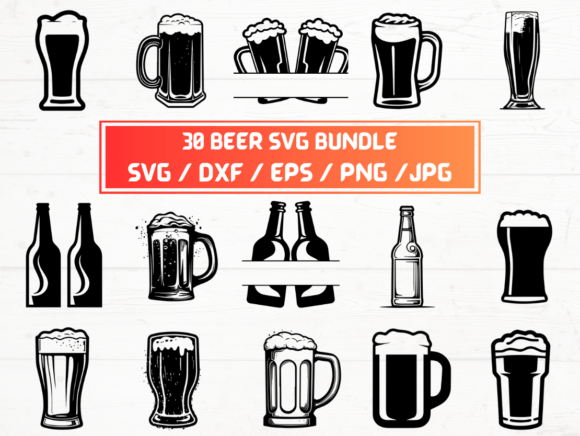
This listing includes 30 SVG, 30 PNG, 30 DXF, 30 EPS, and 30 JPG files — but those aren’t 150 distinct designs. They’re the same 30 designs in five different formats. If you need 30 unique beer-themed icons, this isn’t it. Some sellers bundle minor variations (e.g., “Pint Glass” + “Pint Glass with Foam” + “Pint Glass Outline”) as separate files — but without preview thumbnails or clear naming, you won’t know until after download.
Better approach: Always check the product preview gallery first. Look for labeled thumbnails or a design grid. If only one sample image appears — or if filenames are generic like “image_01.svg” — assume minimal variation. For branding or product lines, prioritize packs with clearly named, purpose-built assets (e.g., “IPA Badge – Vector,” “Craft Brewery Seal – EPS,” “Beer Flight Tray Layout – DXF”).
Overlooking File Compatibility With Your Tools
Just because a file is labeled “DXF” doesn’t mean it’ll open cleanly in Silhouette Studio Business Edition — or that your Cricut Design Space will recognize all layers. DXF files from some sources contain unsupported entities (like gradients or embedded fonts), causing import failures or missing outlines. Similarly, EPS files may rely on legacy Illustrator features that newer versions no longer render reliably.
Better approach: Match formats to your workflow *before* buying. Use SVG for web or Cricut (with flattened layers). Choose DXF for Silhouette (ensure it’s version 12 or earlier). Prefer EPS only if you’re editing in Adobe Illustrator and need editable text or effects. When in doubt, ask the seller for a single-format test file — reputable creators often provide one free sample upon request.
Ignoring Resolution & Transparency Details
The listing mentions “30 PNG Files — 300 dpi with transparent background.” That sounds solid — until you open one and find anti-aliased edges bleeding into transparency, or subtle halos around the beer mug. At 300 dpi, those imperfections scale up fast in print — especially on dark apparel or vinyl decals. Likewise, “transparent background” doesn’t guarantee alpha-channel precision; some PNGs use matte fills or off-white fallbacks that ruin layering in Canva or Photoshop.
Better approach: Zoom in on preview PNGs to inspect edge fidelity. Look for crisp silhouettes and smooth curves — not jagged or fuzzy outlines. If previews are low-res or missing, skip it. Trusted sellers include close-up details in their galleries or specify “true alpha transparency” and “anti-aliasing disabled.”
Misreading Licensing Scope
This is a digital product — no physical item ships — and the license terms matter more than you think. Many Beer SVG bundles permit personal use and small-batch craft sales (e.g., hand-cut coasters sold on Etsy), but prohibit resale as standalone digital files or use in templates sold on Creative Market. Others restrict use in logos or trademarked branding. Assuming “instant download = full rights” leads to takedowns, lost income, or legal exposure.
Better approach: Read the license *before* checkout — not after. Look for plain-language summaries (not just legalese). If the page says “commercial use allowed,” verify whether it covers POD (print-on-demand), client work, or merchandise resale — and whether attribution is required. When in doubt, contact the seller with your specific use case. Legitimate creators respond promptly and clarify boundaries.
What to Check Before You Click “Buy”
You don’t need technical expertise — just a quick pre-purchase checklist:
- Preview quality: Are actual design thumbnails shown — not just lifestyle photos of mugs or hop vines?
- File naming: Do filenames hint at content? (“Hops-Wreath-SVG” is clearer than “Design-7.svg”)
- Layer structure: Does the description mention grouped layers, ungrouped elements, or separated colors for multi-material cuts?
- Support notes: Is there guidance for common software (e.g., “Import tips for Cricut Design Space v7+”)?
- Licensing clarity: Is commercial use defined by quantity, platform, or end product type?
Why This Matters Beyond One Project
Choosing the right Beer SVG isn’t about saving $5 — it’s about protecting your time, reputation, and repeat customers. A poorly constructed SVG might take 20 minutes to clean up in Illustrator. A mislabeled DXF could waste an entire vinyl run. And using an unlicensed design in a client’s brewery rebrand? That’s not a fixable error — it’s a contract breach.
That’s why experienced designers treat digital assets like tools: they test them, document limitations, and keep backups of verified working versions. They don’t assume “SVG” means “plug-and-play.” They know the real value isn’t in the number of files — it’s in predictability, precision, and peace of mind.
So before you download that next Beer SVG pack, pause. Zoom in. Read the fine print. Ask one question if something’s unclear. Because the fastest path to a great result isn’t the biggest bundle — it’s the one built for how *you* actually work.