45 Flower SVG, DXF, EPS, JPG: What You Actually Need to Know Before Downloading
If you're searching for floral design files to cut, print, layer, or embed in digital projects, the 45 Flower SVG, DXF, EPS, JPG bundle sounds like a smart, all-in-one solution. And it can be — but only if you understand what each file type does, how they differ in practice, and where assumptions tend to trip people up.
It’s Not Just “More Files” — It’s Purpose-Driven Compatibility
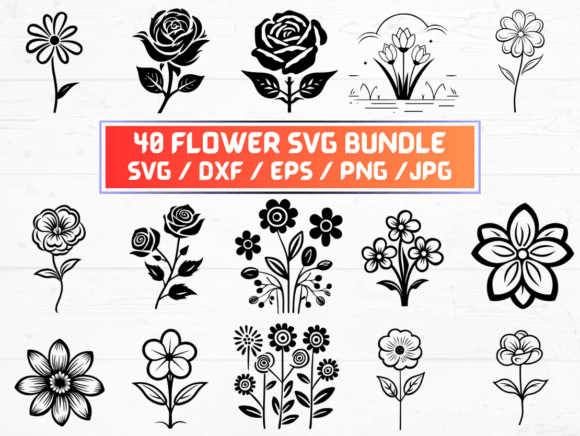
This listing delivers 45 flower designs across five formats: SVG, DXF, EPS, JPG, and PNG (300 dpi with transparent background). That means one design isn’t just a single image — it’s five versions, each built for a specific workflow:
- SVG works natively in Cricut Design Space, Silhouette Studio (with upgrade), and web-based editors like Canva or Adobe Express.
- DXF is the go-to for laser cutters, CNC machines, and older versions of Silhouette Studio that don’t support SVG well.
- EPS is vector-based and ideal for professional print prep in Adobe Illustrator or InDesign — especially when scaling without quality loss matters.
- PNG (300 dpi, transparent) lets you drop clean floral elements into social posts, presentations, or marketing mockups without white borders or pixelation.
- JPG is best for quick previews, email attachments, or platforms that don’t accept vector or transparent files — but it’s not editable or scalable without blur.
Mistake #1 is assuming “more formats = more flexibility” without checking your tools first. If you only use Cricut Design Space, you’ll rarely need EPS or DXF — and JPG won’t help you resize cleanly for large prints. Conversely, if you’re preparing files for a local print shop, they’ll likely ask for EPS or high-res PNG — not SVG.
The “Transparent Background” Trap — And Why DPI Still Matters
The listing includes 45 PNG files at 300 dpi with transparent backgrounds — a detail many overlook until they try printing a flower on a dark t-shirt or overlaying it on a gradient slide. A transparent PNG avoids harsh edges, but only if your software preserves alpha channels. Some basic editors (like older versions of PowerPoint or free online tools) flatten transparency silently — turning your crisp floral element into a white-boxed mess.
Also, “300 dpi” applies only at the native size. Enlarge that PNG beyond 100% in Photoshop or Illustrator, and you’ll see softness fast. That’s why EPS and SVG exist: they scale infinitely. Use PNGs for screen use or fixed-size print jobs (e.g., 5"×7" greeting cards), not billboards or fabric repeats.
DXF Isn’t Always Plug-and-Play — Especially With Silhouette
A common frustration? Uploading a DXF file into Silhouette Studio and finding paths disconnected, layers collapsed, or flowers missing centers. That’s often not a flaw in the file — it’s a mismatch between how the DXF was exported and how your software interprets line types (open vs. closed, stroke vs. fill).
Better approach: Open the DXF in Illustrator or Inkscape first, check for grouped objects and compound paths, then re-export as simplified DXF (using “save as” > “DXF R12” with “preserve appearance” off). Or — even simpler — use the included SVG if your machine supports it. Cricut users rarely need DXF at all unless working with legacy hardware.
EPS Files Aren’t “Just for Pros” — But They Do Require Care
EPS is often dismissed as outdated, but it remains the safest vector format for commercial printers who use RIP (raster image processing) software. However, opening an EPS in Photoshop will rasterize it instantly — losing all editability. Opening it in Illustrator? Great — unless fonts are outlined inconsistently or linked images are missing (not an issue here, since these are pure vector flowers).
What to check before using EPS: zoom in at 400%. Look for stray anchor points, overlapping strokes, or tiny off-canvas elements. Clean vectors render faster and convert more reliably to other formats later.
Instant Download Means Zero Waiting — But Also Zero Physical Backup
This is a digital-only product: no USB drive, no printed guide, no customer service follow-up by mail. The ZIP folder arrives in your inbox seconds after purchase — which is efficient, but also means you’re responsible for safekeeping.
Real-world hiccup: downloading on a phone, forgetting to extract the ZIP, then losing access when the download link expires (most platforms auto-expire links after 30 days). Better practice? Download to a laptop, extract immediately, rename the folder clearly (“45 Flower SVG DXF EPS JPG – [Date]”), and back it up to cloud storage or an external drive. One click saves hours of re-purchase stress.
Why “45 Flower SVG, DXF, EPS, JPG” Works Best When Matched to Your Actual Workflow
You don’t need all 225 files (45 × 5) for every project. You need the right one — at the right time.
- Designing a wedding invitation suite in Illustrator? Grab the EPS or SVG — skip JPG entirely.
- Creating layered vinyl decals for a small business? Use SVG for Cricut or DXF for a Glowforge — then export a PNG proof for client approval.
- Building a blog post about spring branding? Drop the transparent PNGs straight into WordPress — no resizing, no background removal needed.
Overloading your library with unused formats doesn’t add value — it adds clutter. Focus on what your current tools support and what your next three projects require.
A Final Check Before You Click “Buy”
Before downloading any 45 Flower SVG, DXF, EPS, JPG collection, ask yourself:
- Which cutting or design software do I actually use — and which formats does it open *without conversion*?
- Do I need scalability (vector) or ready-to-place imagery (PNG/JPG)?
- Will this be used for physical products (where bleed, cut lines, and color mode matter) or digital content (where transparency and screen resolution dominate)?
- Is the seller clear about licensing? This listing is for personal and commercial use — but always verify whether resale of unaltered files or use in POD templates is permitted.
When those questions align with what’s delivered — clean, consistent, well-organized files across purpose-built formats — the 45 Flower SVG, DXF, EPS, JPG bundle becomes more than convenient. It becomes reliable. And in creative work, reliability saves time, reduces frustration, and quietly raises the quality bar — no extra steps required.