Football SVG Files: Your All-in-One Digital Design Toolkit for Sports Projects
If you've ever spent hours searching for clean, scalable football-themed graphics—only to land on blurry JPGs or locked PNGs with white backgrounds—you know the frustration. That’s where Football SVG files step in: not just another clipart pack, but a versatile, production-ready digital asset set built for crafters, designers, educators, and small business owners who need precision, flexibility, and speed.
Why Football SVG Is More Than Just a File Format
SVG stands for Scalable Vector Graphic—and that word “scalable” is the game-changer. Unlike raster images (JPG, PNG), which pixelate when enlarged, Football SVG files retain razor-sharp clarity at any size: whether you’re cutting a 2-inch logo on a Cricut or printing a 48-inch banner for a youth league fundraiser. That scalability makes them indispensable across tools like Silhouette Studio, Cricut Design Space, Adobe Illustrator, Inkscape, and even web-based editors.
But it’s not just about sharpness. The real power of Football SVG lies in editability. Each element—helmet curves, stitching lines, jersey numbers—is a vector path you can recolor, resize independently, group, ungroup, or layer without degradation. Want a navy-and-gold football icon with a custom team name arched above it? Done in under two minutes. Need to isolate the goalpost silhouette from the full scene for a classroom poster? One click.
What’s Inside This Football SVG Bundle (And Why It Matters)
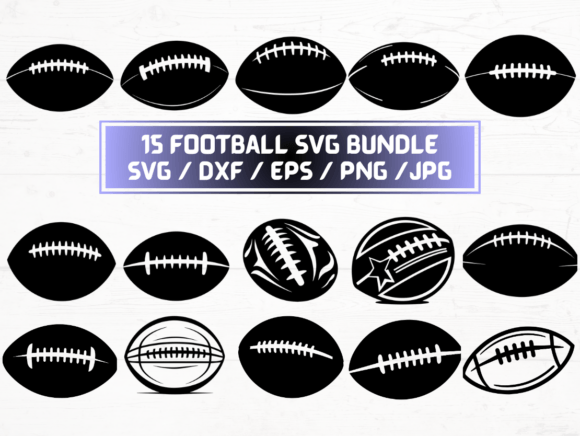
This listing delivers 15 unique Football SVG designs—not repeats, not variations of the same icon—but thoughtfully curated assets covering multiple use cases:
- A dynamic action pose of a player mid-tackle
- Minimalist football helmet with adjustable visor angle
- Gridiron field layout with yard markers (perfect for lesson plans)
- “Touchdown!” banner with bold, cut-friendly lettering
- Vintage-style football with laces and texture layers
- Team mascot silhouettes (bear, eagle, lion) optimized for vinyl
- Seasonal combos—like a football wrapped in Christmas lights or nestled in autumn leaves
Each design comes in five complementary formats: SVG, DXF, EPS, PNG (300 dpi, transparent background), and JPG. That’s not overkill—it’s foresight.
Breaking Down the Formats: When to Use What
SVG is your go-to for Cricut, Silhouette, and web projects. It preserves layers, groups, and stroke/fill data—ideal for multi-color vinyl projects or layered iron-on transfers.
DXF is the universal language for CNC routers, laser cutters, and older cutting machines. If you're fabricating wooden signs or acrylic awards, DXF ensures clean toolpaths and no rendering surprises.
EPS remains the gold standard for professional print shops and large-format printers. Its PostScript foundation guarantees color accuracy and compatibility with RIP software used by commercial vendors.
PNG (300 dpi, transparent background) shines in digital contexts: social media banners, Google Slides templates, Canva presentations, or e-learning modules where vector support isn’t available. No more wrestling with white boxes around your football icons.
JPG serves quick-turn needs—emailing a preview to a client, uploading to an Etsy listing, or embedding in a blog post where file size matters more than transparency.
Real-World Uses: From Garage Crafters to School Districts
This Football SVG collection doesn’t live in theory—it solves actual problems.
For small business owners: A local sports apparel shop used the “Varsity Block Font + Football” combo to create heat-transfer designs for custom hoodies. Because the SVG layers were separated (icon, text, shadow), they adjusted spacing and kerning in seconds—not hours—to fit different garment sizes.
For teachers and homeschoolers: One PE instructor printed the gridiron field SVG onto cardstock, laminated it, and turned it into a tactile yardage game for math lessons—adding fractions (“move 3½ yards”) and measurement practice. The transparent PNG version went straight into her Google Classroom welcome video as animated overlays.
For event planners: A high school booster club printed the “Homecoming Football” design onto clear acrylic keychains using a UV printer. Since the EPS file retained Pantone-matched spot colors, their branded merchandise matched the school’s official palette exactly—no guesswork, no reprints.
What Makes These Football SVG Files Stand Out?
Not all SVG bundles are created equal. Here’s what sets this one apart:
- No embedded fonts — All text is converted to outlines, so your design looks identical whether opened on a Mac, Windows PC, or Chromebook.
- Clean layer naming — Instead of “Layer_1,” “Group_27,” files use intuitive labels like “Helmet_Shell,” “Lace_Detail,” or “Jersey_Number.” Saves time when editing or troubleshooting cuts.
- Optimized paths — No unnecessary anchor points or overlapping shapes. That means faster cutting, smoother engraving, and lighter file loads in design software.
- Consistent stroke weights — Critical for vinyl weeding and fine-detail cuts. You won’t get jagged edges or broken lace lines at 0.02-inch scale.
- Print-safe bleed and safe zones — Included in documentation (PDF guide inside ZIP), helping avoid costly misprints on banners or yard signs.
Instant Download = Zero Wait, Maximum Momentum
This is a digital-only product—no shipping, no tracking numbers, no delays. As soon as payment clears, you’ll receive an email with a secure download link to a ZIP folder containing all 75 files (15 designs × 5 formats). There’s no subscription, no watermark, no usage cap. Once downloaded, the files are yours to use commercially or personally—no attribution required.
That instant access changes how you work. Missed the deadline for spirit week T-shirts? Pull up the “Team Pride Banner” SVG, drop in your school name, send to your cutter, and have samples ready before lunch. Planning a last-minute birthday party? Print the “Football Balloon Garland” PNG onto matte photo paper, cut with scissors, and assemble in 10 minutes.
Compatibility Check: Does It Work With *Your* Tools?
Yes—if your software opens vector or high-res raster files, it’s covered. Verified compatibility includes:
- Cricut Design Space (SVG & DXF)
- Silhouette Studio (Designer Edition supports SVG; Basic Edition uses DXF)
- Adobe Illustrator, Photoshop, InDesign (SVG, EPS, PNG, JPG)
- Inkscape (free, open-source; handles SVG, EPS, DXF)
- CorelDRAW (EPS, SVG, JPG, PNG)
- Canva (PNG & JPG only—but high-res + transparent background = pro results)
- Microsoft PowerPoint & Google Slides (PNG & JPG)
Still unsure? Most platforms offer free trials or web-based viewers. Try opening one of the included PNGs first—see how crisp the laces look at 200% zoom. Then test an SVG in Cricut Design Space: upload, ungroup, change the helmet color to crimson, and watch how smoothly it renders.
Making the Most of Your Football SVG Purchase
Start simple. Pick one design—say, the minimalist football icon—and try it in three ways: cut it from black vinyl for a laptop decal, overlay the PNG onto a team photo in Canva, then import the EPS into Illustrator and add a subtle drop shadow for a presentation slide. That 10-minute experiment reveals more than any spec sheet.
Keep your ZIP organized. Create subfolders: “SVG_Cutting,” “PNG_Digital,” “EPS_Print,” etc. Rename files with keywords—e.g., “football-helmet-red-SVG” instead of “design07.svg.” Future-you will thank present-you when searching for “goalpost” at 11 p.m. before a deadline.
And remember: these aren’t static decorations. They’re building blocks. Combine the jersey number SVG with a custom font to build a personalized athlete award. Layer the stadium silhouette behind a team photo for a dynamic yearbook layout. Use the DXF field lines as a base for a 3D-printed coaching board.
Football SVG isn’t just about football—it’s about having the right tool, in the right format, at the right moment. Whether you’re launching a side hustle, supporting a school program, or creating something meaningful for someone you love, this bundle meets you where you are—and helps you move faster, smarter, and with more confidence.