Fairy SVG: A Practical Guide for Crafters, Designers, and Digital Makers
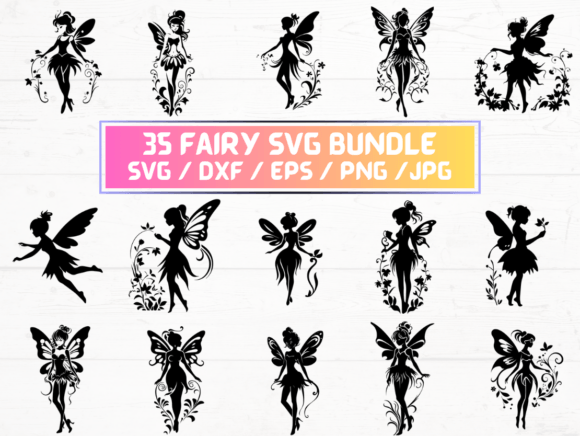
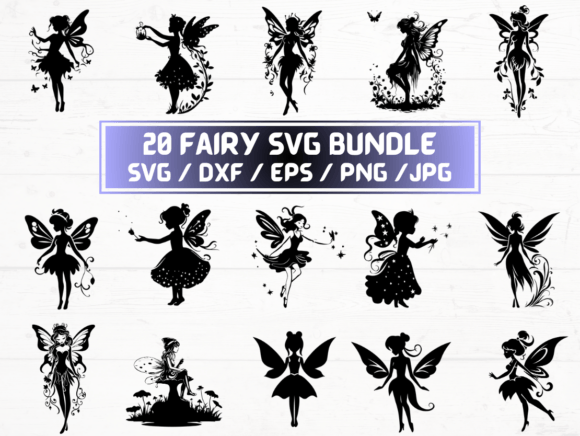
Fairy SVG refers to a curated digital collection of fairy-themed vector graphics—designed specifically for cutting machines, digital illustration, and print-on-demand workflows. Unlike generic clipart or stock illustrations, Fairy SVG files are built with precision: scalable vectors that retain clarity at any size, layered elements for customization, and format compatibility across major design and fabrication tools. This particular listing delivers 20 unique fairy designs in five industry-standard formats—SVG, DXF, EPS, PNG (300 dpi, transparent background), and JPG—packaged into a single ZIP folder for instant download.
What Makes Fairy SVG Distinct from Other Fairy-Themed Graphics?
Not all fairy-themed digital assets serve the same purpose—or perform equally well across platforms. Fairy SVG stands out because it’s engineered for function, not just aesthetics. Each design is constructed with clean paths, minimal anchor points, and consistent stroke behavior—critical for reliable performance on Cricut, Silhouette, and other cutting machines. The inclusion of both SVG and DXF ensures broad machine compatibility: SVG works natively with Cricut Design Space and newer versions of Silhouette Studio, while DXF remains the go-to for older software and some laser cutters. EPS files support professional vector editing in Adobe Illustrator or CorelDRAW, and high-resolution PNGs allow for overlay use in Canva, Procreate, or photo compositing without needing vector expertise.
In contrast, many free or low-cost fairy graphics found online are raster-based only (e.g., PNGs without transparency or at low resolution), lack proper layer separation, or contain embedded fonts or effects that break when imported into cutting software. Others are licensed for personal use only—or prohibit commercial application entirely. This Fairy SVG package explicitly supports both personal and small-business use, including physical product creation (e.g., vinyl decals, embroidered patches, resin charms) and digital resale (e.g., as part of a larger design bundle).
How Fairy SVG Compares Across Formats and Use Cases
Choosing the right file type depends less on preference and more on workflow context. Here’s how the included formats align with common tasks:
- SVG: Best for Cricut users and web-based designers. Supports color layers, text-editable elements (if designed that way), and responsive scaling. Not ideal for complex gradients or bitmap effects.
- DXF: Preferred for Silhouette Studio (especially Business Edition) and CNC/laser systems. Lacks color or layer data but guarantees precise path interpretation—ideal when accuracy matters more than visual fidelity.
- EPS: A legacy vector standard still used in print production and professional illustration. Retains editable paths and supports spot colors—valuable if you’re preparing files for screen printing or offset printing.
- PNG (300 dpi, transparent): Useful for mockups, social media graphics, or hybrid projects where vector import isn’t possible. Maintains sharp edges at standard print sizes but doesn’t scale infinitely like vector formats.
- JPG: Serves as a quick reference or preview. Lacks transparency and compression can blur fine details—best avoided for production unless output size is fixed and small.
A designer preparing a set of fairy-themed iron-on transfers would likely start with SVG or DXF for cut lines, then use the PNG version to preview placement over fabric textures. A small-batch resin artist might import the SVG into Easel or LightBurn for mold engraving, while a greeting card creator could drop the PNG directly into Affinity Designer for layout—without converting or troubleshooting compatibility.
Strengths, Tradeoffs, and Realistic Fit
The strength of this Fairy SVG collection lies in its balance: breadth (20 distinct designs), format coverage, and production-readiness. Each file is pre-tested for common import errors—no missing layers, no ungrouped compound paths, no embedded raster images. That saves time during setup, especially for beginners navigating their first cutting project.
However, tradeoffs exist. Because these are ready-made files—not customizable templates—they offer limited flexibility in anatomy, pose, or stylistic variation. If you need a fairy holding a specific object (e.g., a lantern or scroll), wearing armor, or rendered in watercolor texture, you’d need to edit manually or source supplemental assets. Similarly, while the PNGs are high-resolution, they’re not provided in multiple color variants—so recoloring requires either vector editing or external tools.
This makes Fairy SVG most suitable for users who value reliability and speed over deep customization. It fits well for crafters producing seasonal decor, educators creating classroom visuals, Etsy sellers building themed bundles, or hobbyists exploring SVG-based papercraft. It’s less optimal for illustrators requiring bespoke linework, motion designers needing animated SVGs, or large-scale branding projects demanding exclusive rights or custom typography integration.
When to Choose Fairy SVG—and When to Look Elsewhere
Fairy SVG becomes a strong candidate when your priority is getting a functional, tested asset into production quickly—particularly if you’re working within constraints like tight deadlines, limited software access, or beginner-level technical confidence. Its multi-format delivery reduces friction: you don’t need to convert files yourself or troubleshoot export settings. For example, someone launching a spring-themed sticker shop could use the SVG files to cut vinyl, the PNGs to generate Instagram previews, and the EPS files to hand off to a local printer—all from one download.
Conversely, consider alternatives if your work demands higher degrees of control. Custom illustration commissions allow full stylistic alignment and usage rights tailored to your business model. Open-source SVG repositories (like those under CC0 licenses) offer flexibility but require vetting for technical quality and licensing clarity. Subscription-based design libraries provide ongoing access to new themes—but often limit commercial use or charge per download.
Also weigh your long-term needs. If you anticipate expanding into animated web graphics, look for SVGs with ID-tagged elements and CSS-ready structure—this Fairy SVG collection prioritizes static cutting accuracy over interactivity. If you regularly collaborate with print vendors, confirm whether your provider prefers PDF/X-1a over EPS; while EPS is included, it may not be their preferred input.
Practical Tips for Getting the Most From Fairy SVG
To maximize utility, start by opening one SVG file in your primary design tool—not to cut immediately, but to inspect layer organization. Note how wings, hair, and accessories are grouped. This reveals whether adjustments (e.g., removing a wand or resizing a halo) will be straightforward or require path manipulation. Next, test the DXF version in your cutting software: import it, run a “fit to page” preview, and verify all outlines render fully—some tools misinterpret open paths or tiny gaps.
For PNG use, avoid double-resampling: open the 300 dpi file directly at intended output size rather than scaling up in a raster editor. And remember—while the ZIP contains 20 designs, consistency across the set varies by artistic intent. Some lean toward delicate line art; others emphasize bold silhouettes. Review thumbnails before selecting, especially if matching an existing brand palette or material texture (e.g., glitter vinyl benefits from simpler outlines).
Finally, store backups outside your main design folder. Digital files degrade silently—corruption can occur during transfer or cloud sync. Keeping a local archive ensures you retain access even if platform policies change or download links expire.