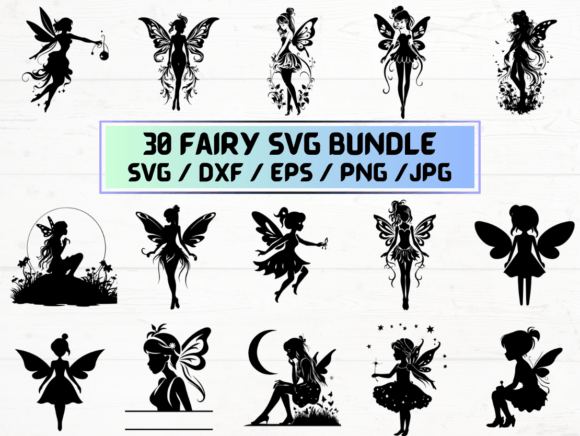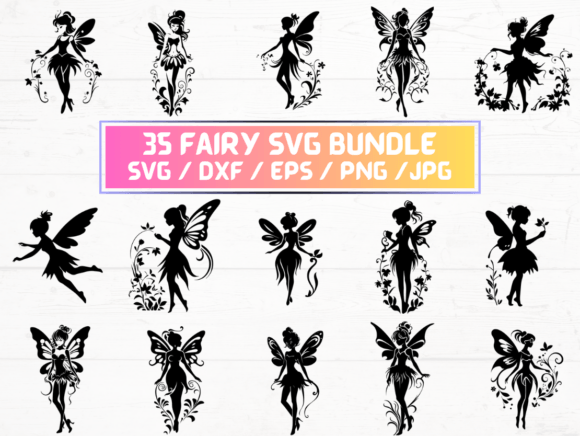
35 Fairy SVG: A Digital Design Resource for Crafters and Designers
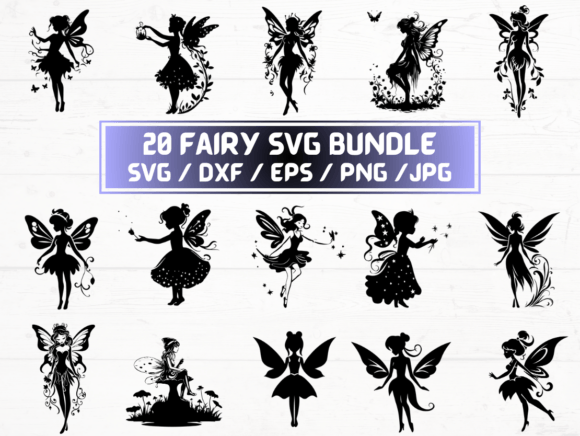
The 35 Fairy SVG is a curated digital collection of fairy-themed vector and raster files, delivered as an instant-download ZIP folder. It includes 35 SVG files—scalable vector graphics optimized for cutting machines like Cricut and Silhouette—as well as matching sets of PNG (300 dpi with transparent background), DXF, JPG, and EPS files. This product is strictly digital; no physical item is shipped.
For individuals evaluating design assets for creative projects, understanding what this package offers—and what it doesn’t—is essential before purchasing. Below is an objective overview to support informed decision-making.
What the 35 Fairy SVG Package Contains
The listing provides five file formats for each of the 35 unique fairy designs:
- SVG files: Native vector format supporting layering, resizing without quality loss, and compatibility with most web-based and desktop design tools.
- PNG files: High-resolution (300 dpi) raster images with transparent backgrounds—suitable for digital overlays, print-on-demand mockups, or web use where vector editing isn’t required.
- DXF files: Widely supported by CAD software and some cutting machines, especially older or non-Silhouette/Cricut platforms.
- JPG files: Standard raster format, useful for previews, presentations, or basic digital sharing—but lacking transparency support.
- EPS files: Legacy vector format compatible with Adobe Illustrator and other professional design suites, though less commonly used in modern cutting workflows.
All files are pre-organized per design, making it straightforward to locate and use specific assets across different applications.
Who Might Benefit From the 35 Fairy SVG?
This collection is most relevant to users engaged in hands-on making or digital content creation where thematic consistency matters. Common use cases include:
- Home crafters using cutting machines to produce fairy-themed cards, ornaments, wall decals, or fabric appliqués.
- Etsy sellers or small-batch creators building themed product lines—such as printable coloring pages, nursery decor, or party supplies—who need ready-to-use, royalty-free illustrations.
- Teachers or activity designers developing classroom resources or children’s materials requiring whimsical, age-appropriate imagery.
- Graphic designers needing consistent, editable fairy motifs for client projects involving branding, book illustration, or event design.
In these contexts, having multiple formats reduces dependency on conversion tools and supports flexibility across software ecosystems.
Practical Benefits and Realistic Expectations
A key advantage of the 35 Fairy SVG is format redundancy. Users aren’t locked into one workflow: SVG works in Cricut Design Space, DXF in AutoCAD or CorelDRAW, EPS in Illustrator, and PNGs function directly in Canva or PowerPoint. That versatility saves time when switching between platforms or collaborating with others using different tools.
However, expectations should align with the nature of the product. These are static, pre-made designs—not customizable templates or AI-generated variations. Each fairy illustration is fixed in pose, style, and detail level. There is no built-in option to adjust proportions, swap accessories, or generate new poses without manual editing in vector software.
Also, while the PNGs are high-resolution, their usefulness depends on intended output size. For large-format prints (e.g., banners over 24 inches wide), vector formats (SVG/EPS/DXF) remain preferable to avoid pixelation.
Situations Where the 35 Fairy SVG Is a Strong Fit
This collection fits well when:
- You need a cohesive set of fairy motifs and prefer acquiring them in bulk rather than sourcing individually.
- Your workflow relies on cutting machines that require SVG or DXF input, and you want assurance of clean, machine-ready paths.
- You’re working under time constraints and value immediate access over commissioning custom artwork.
- You’re comfortable managing ZIP downloads and organizing digital assets but don’t require advanced licensing (e.g., for resale of derivative products—check the seller’s license terms separately).
It also suits learners building familiarity with file formats common in maker communities, offering concrete examples to practice importing, resizing, grouping, and exporting across platforms.
When Alternatives May Be Worth Considering
The 35 Fairy SVG may be less suitable if:
- You require highly specific stylistic traits—such as photorealism, anime influence, or culturally grounded interpretations—not reflected in the included designs. In such cases, commissioning original art or searching niche illustration marketplaces may yield better alignment.
- Your project demands dynamic elements—animated sprites, layered PSD files with editable shadows or textures, or SVGs with embedded interactivity—which this static collection does not provide.
- You plan extensive commercial redistribution (e.g., bundling these files into your own digital product for sale) without verifying the included license permits such use. Always review the seller’s terms: many digital SVG bundles restrict resale or sublicense rights.
- You only need one or two fairy motifs. Purchasing a smaller pack—or even a single SVG from a marketplace—could reduce cost and storage overhead.
Making a Practical Decision
To determine whether the 35 Fairy SVG meets your needs, ask yourself:
- What’s my primary use case? If it involves cutting, printing, or embedding into digital layouts—and you’ll use more than a handful of designs—the bundle’s breadth becomes valuable.
- Which software do I use regularly? Confirm compatibility: Cricut users benefit most from SVG and PNG; CAD or engineering users may rely more on DXF; designers in Adobe Creative Cloud often prefer EPS or SVG.
- How much customization do I anticipate? If edits beyond scaling and color adjustment are likely, ensure you have access to vector-editing tools and basic proficiency.
- What are my licensing requirements? Review the seller’s policy on personal vs. commercial use, attribution, and derivative works before purchase.
Finally, consider storage and organization. A ZIP containing 175 files (35 × 5 formats) requires deliberate naming and folder structure to remain usable long-term—especially if integrating into larger asset libraries.
In summary, the 35 Fairy SVG serves as a practical, format-diverse resource for those seeking accessible, consistent fairy-themed visuals. Its value emerges not from novelty or exclusivity, but from reliability, readiness, and cross-platform utility—provided expectations match its scope and limitations.